Music Creator · As of Nov 25, 2026 · 2 min read
How to record on your Music House beat in Rapchat
Make a beat in Music House, then open it in Rapchat Studio with one tap and record your vocals on it.
Open Music Creator
Rapchat is the recording app from the team behind Music House. Make the beat here, then record on it there.
This works on iPhone with Music House 2.1 or later and Rapchat 13.12 or later. Rapchat for Android doesn't have it yet.
1. Make a beat
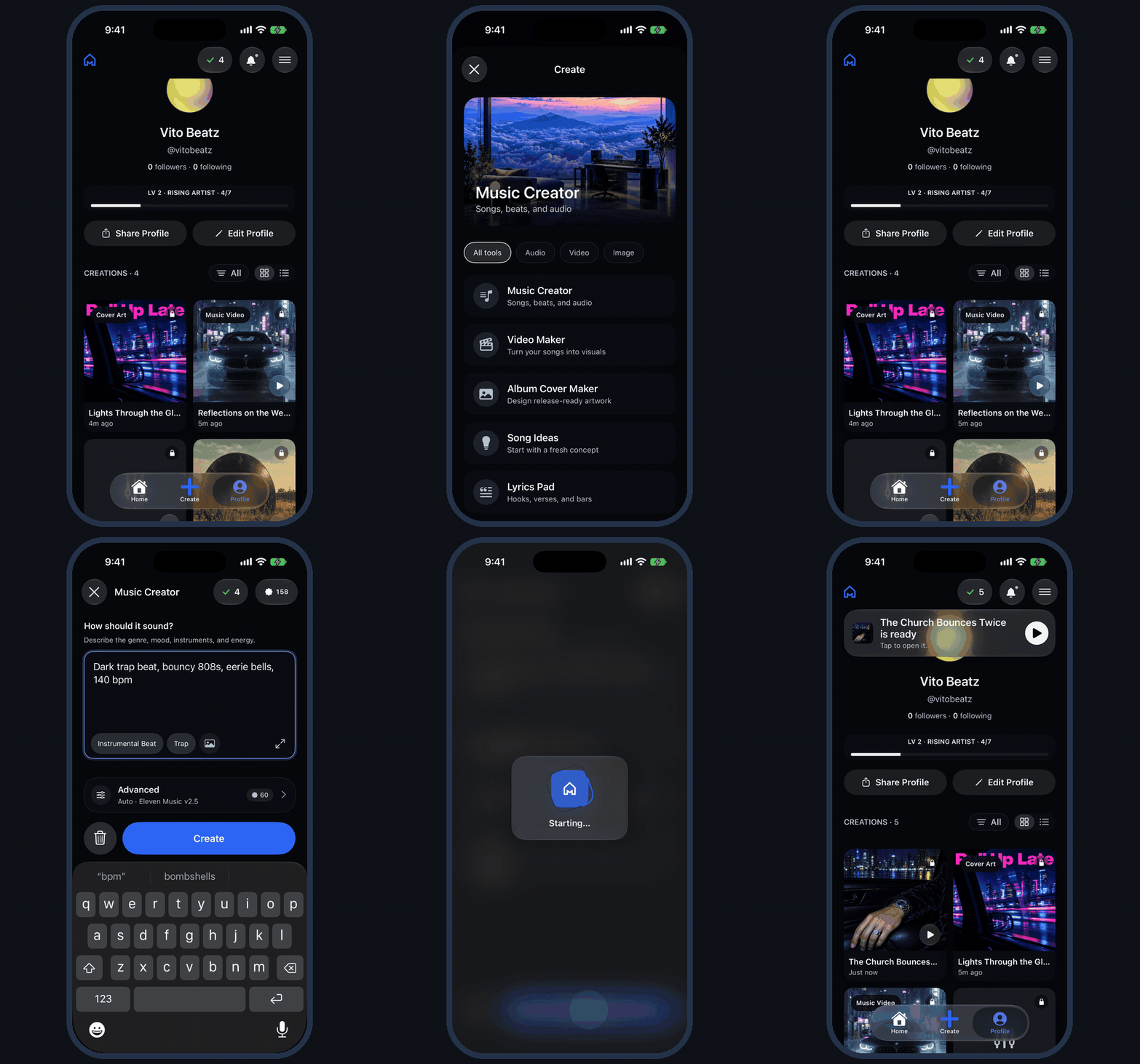
Tap Create, then Music Creator. Describe the beat, for example:
Dark trap beat, bouncy 808s, eerie bells, 140 bpm
Make sure it's set to Instrumental Beat. Music House usually picks that from your words. Tap Create.
2. Tap Record in Rapchat
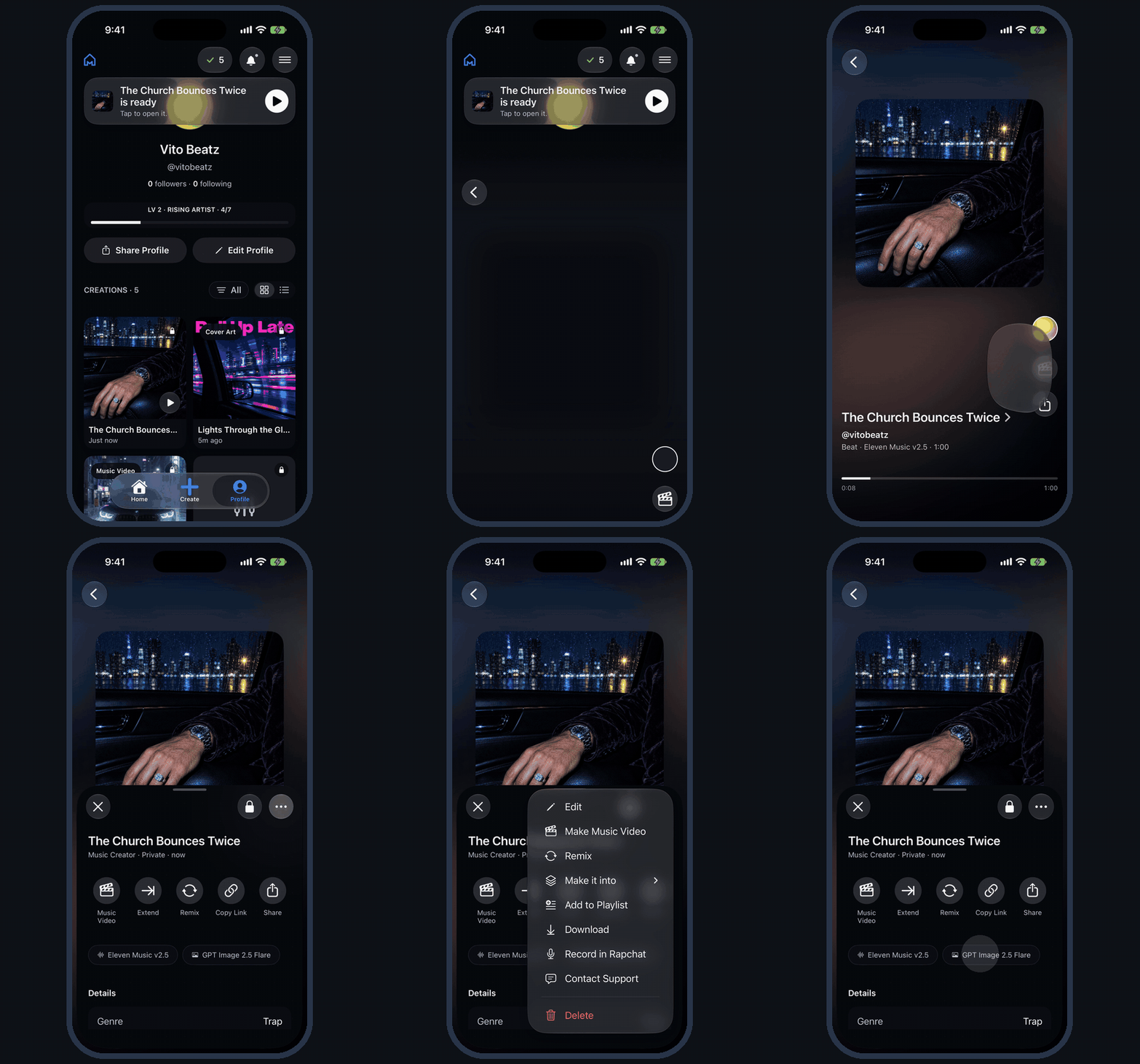
Open the finished beat and tap its title to see details. Tap ⋯, then Record in Rapchat.
3. Record in Rapchat Studio
Rapchat opens Studio with your beat loaded. Put on headphones and record. When you post the song, Rapchat credits the beat to you on Music House.
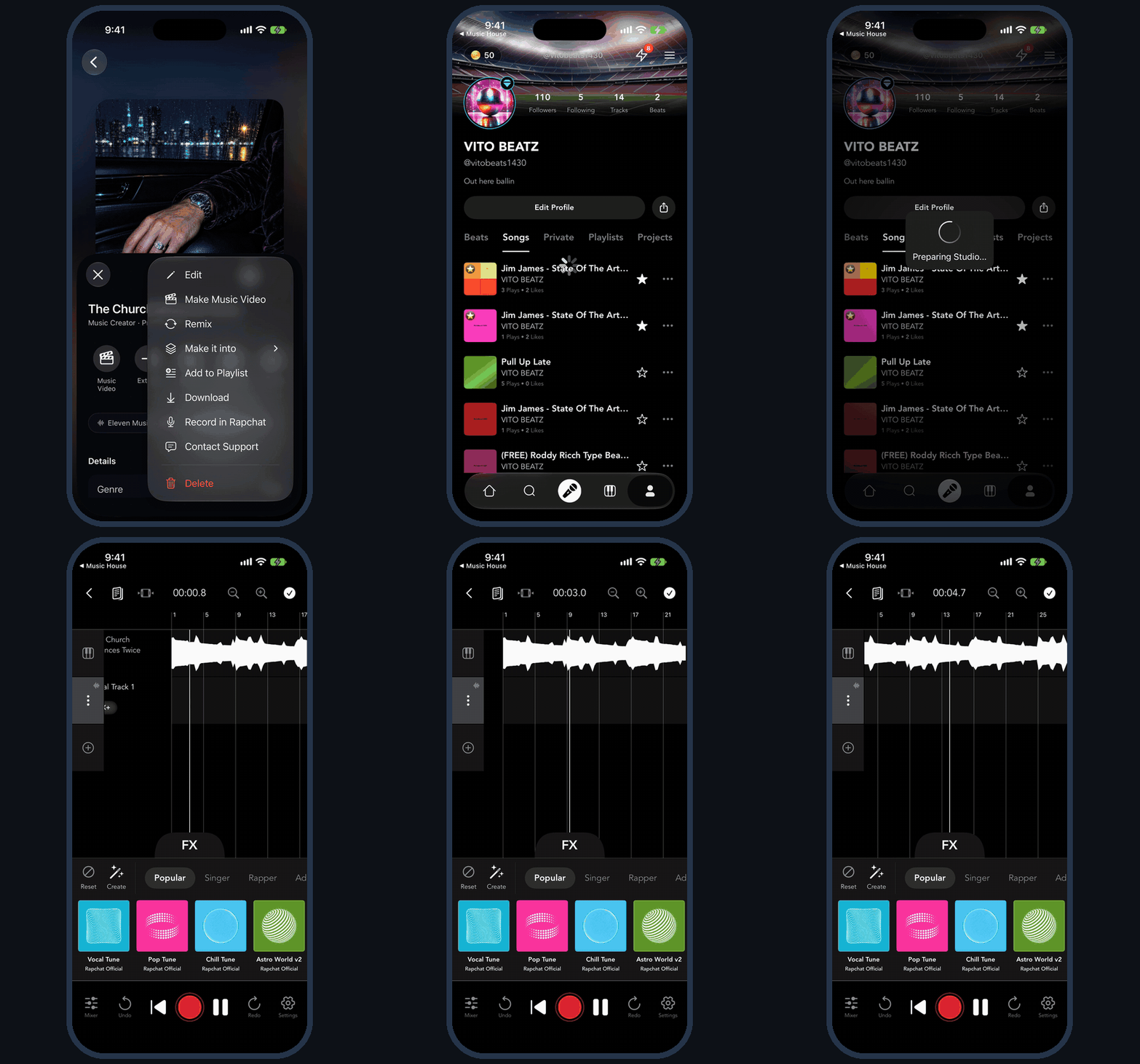
Without Rapchat installed, Record in Rapchat opens Rapchat in the App Store.
Someone else's beat
Record in Rapchat also shows on other people's public songs and beats, and Rapchat credits them. You can also tap Share on a public beat and pick Rapchat.
On Android
Rapchat for Android can't open Music House beats yet. Open your beat on musichouse.app, tap Download, then upload it in Rapchat when you start a new project.
Try it now
Your own beat, ready to record on in Rapchat.