Guide · As of Nov 25, 2026 · 3 min read
How to bring a Rapchat song into Music House
Open a song you made on Rapchat in Music House, then put your vocals on a new beat, make a music video or cover art, or split it into stems.
Open Guide
Music House is from the team at Rapchat. Any song you published on Rapchat can come over in one tap, ready to remix.
1. Open your song in Music House
In Rapchat, go to your profile and tap Songs. Tap ⋯ next to the song, then Open in Music House.
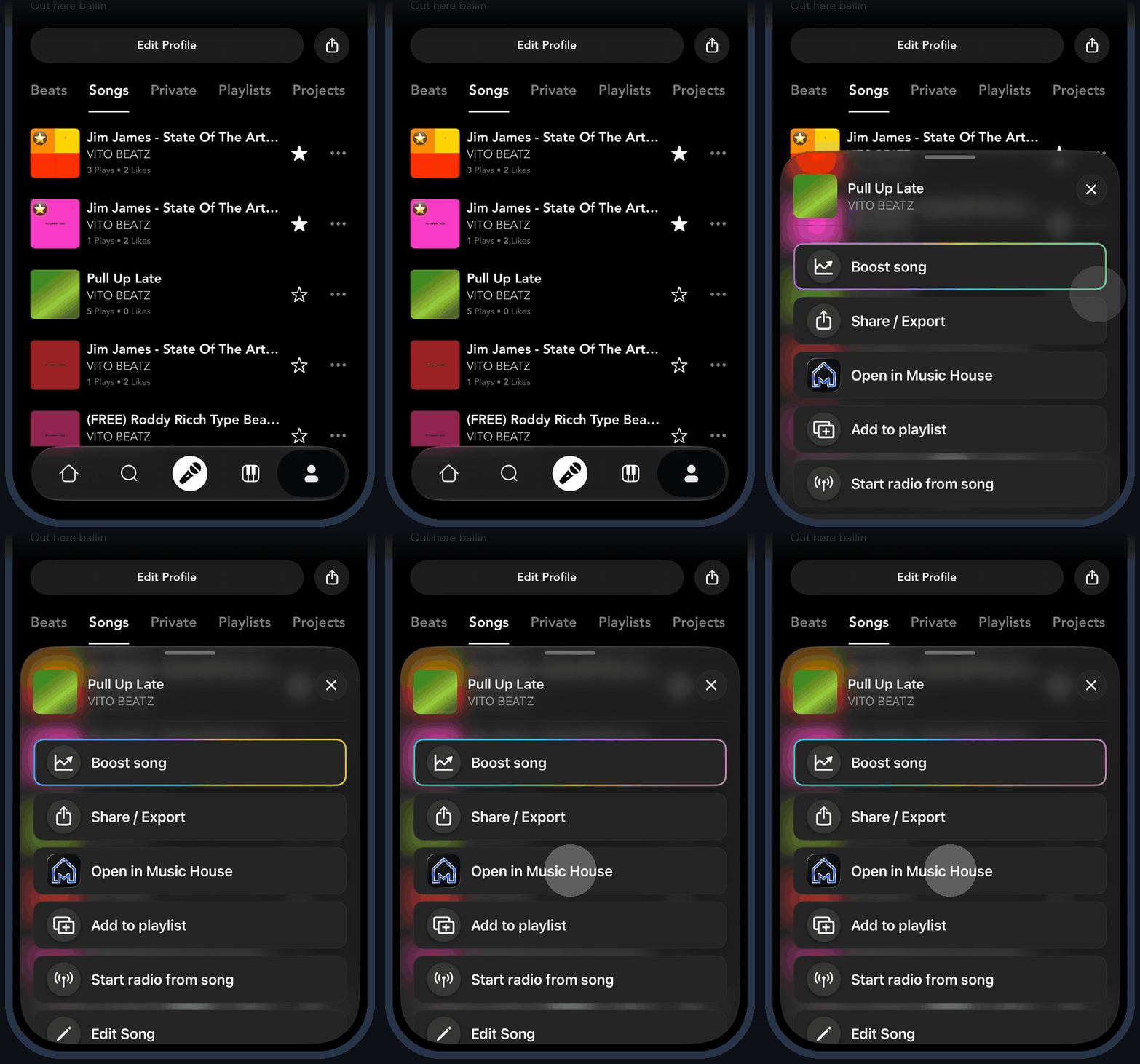
On iPhone you need Rapchat 13.12 or later. On Android you need Rapchat 9.4 or later, and Music House opens on the web.
2. Pick what to make
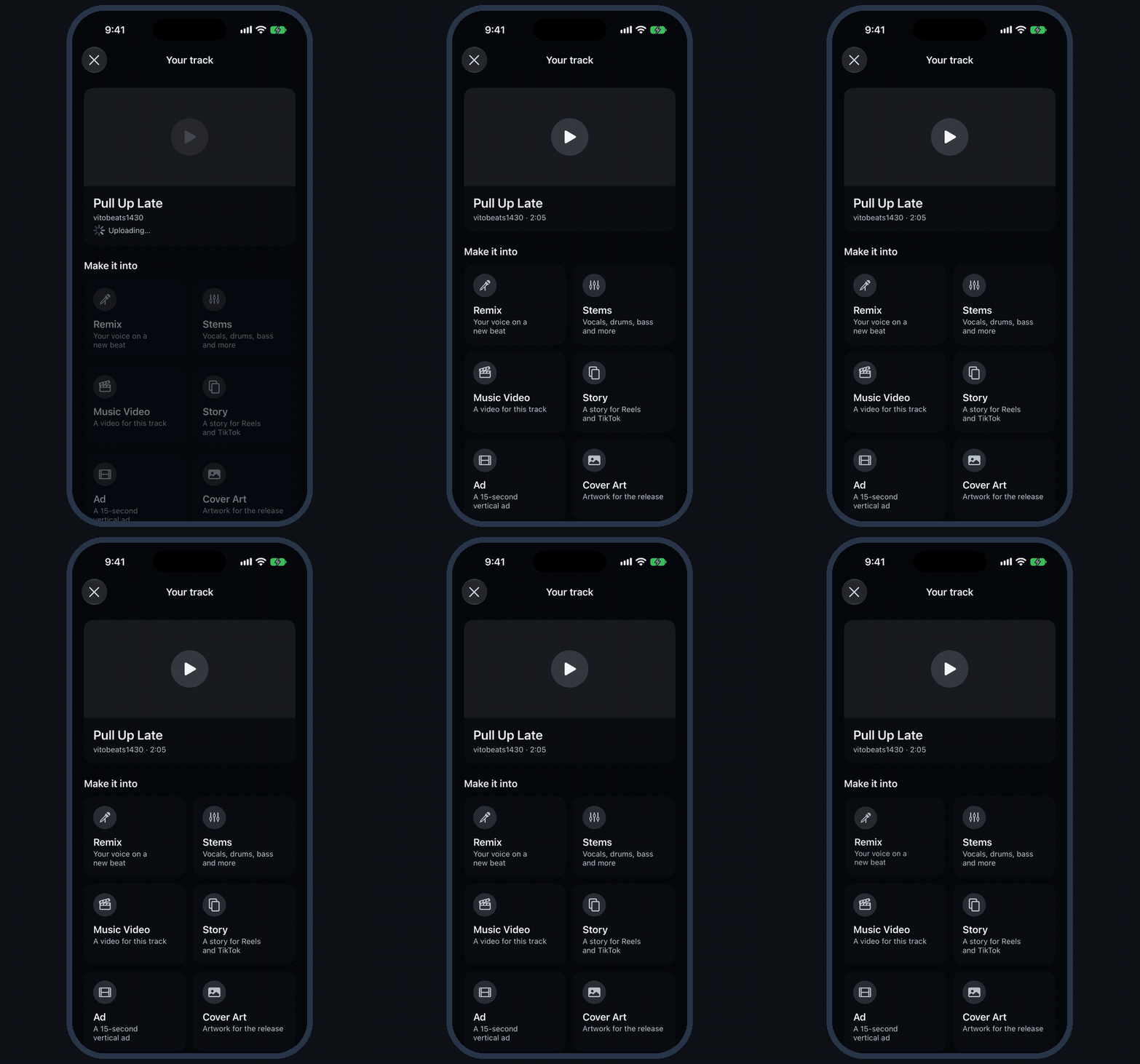
Music House opens on Your track with your song loaded. Under Make it into, tap what you want. The first time, you confirm the song is yours.
Remix with a new beat
Remix keeps your voice and makes a new beat around it.
- Say what the new beat should sound like, or pick a Genre.
- Pick a Length: 30s, 60s or the full song.
- Tap Create.
The remix below used:
Late night trap, warm keys, hard 808s
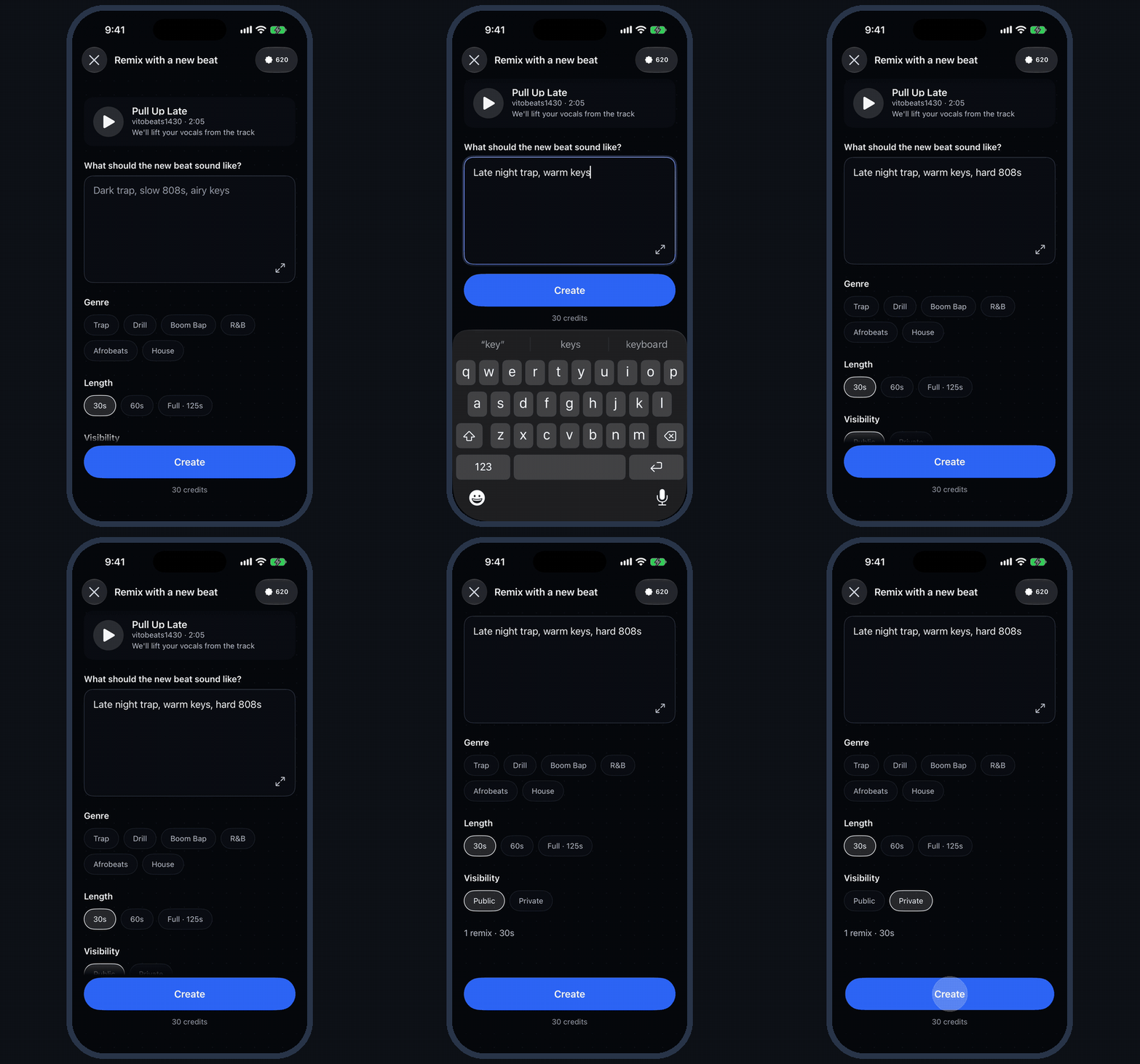
The remix shows on your profile when it's ready.
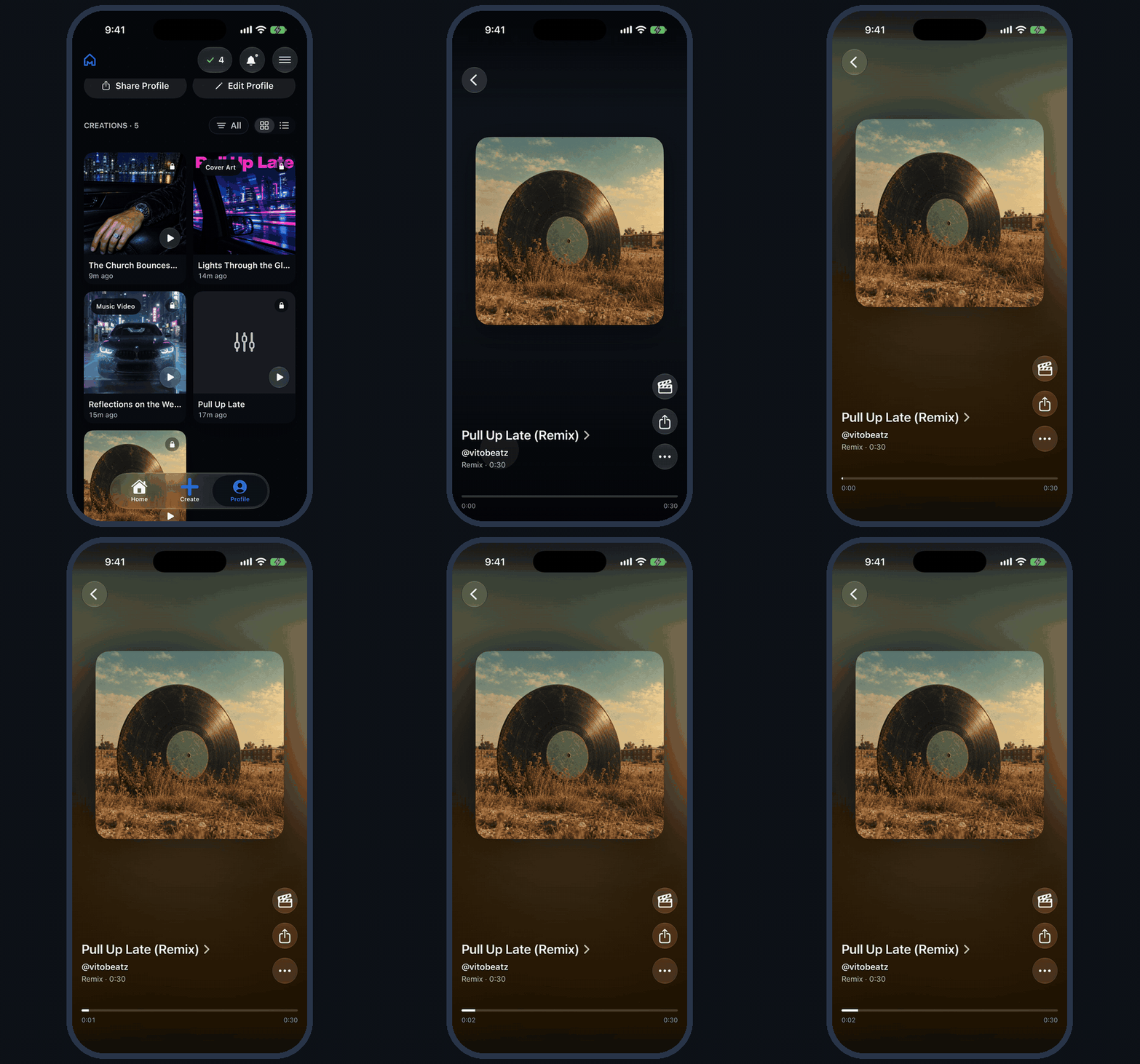
Music video
Music Video makes a video with your song under it.
- Pick what to make: Cinematic, Lip-sync, Looping visual or Animated cover.
- Add a vibe if you want one. Leave it blank and the scenes follow your song.
- Pick a length and tap Create.
How to make a music video has more on directing a shot.
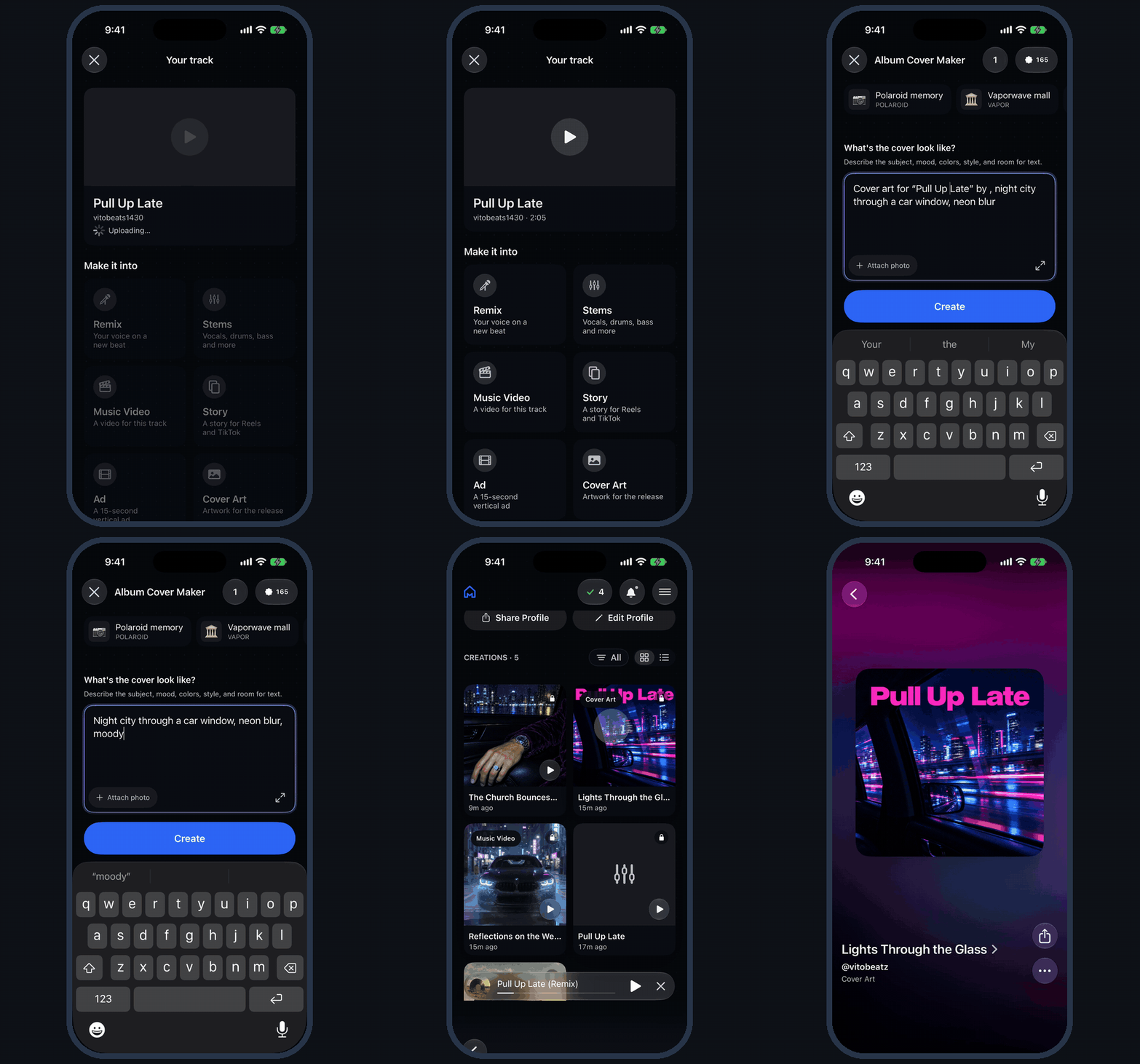
Cover art
Cover Art makes artwork for the release. Describe the look, or tap one of the vibe starters, then tap Create.
Stems
Stems splits the song into parts you can download. Pick 2 stems for vocals and beat, or 6 stems for drums, bass and more.
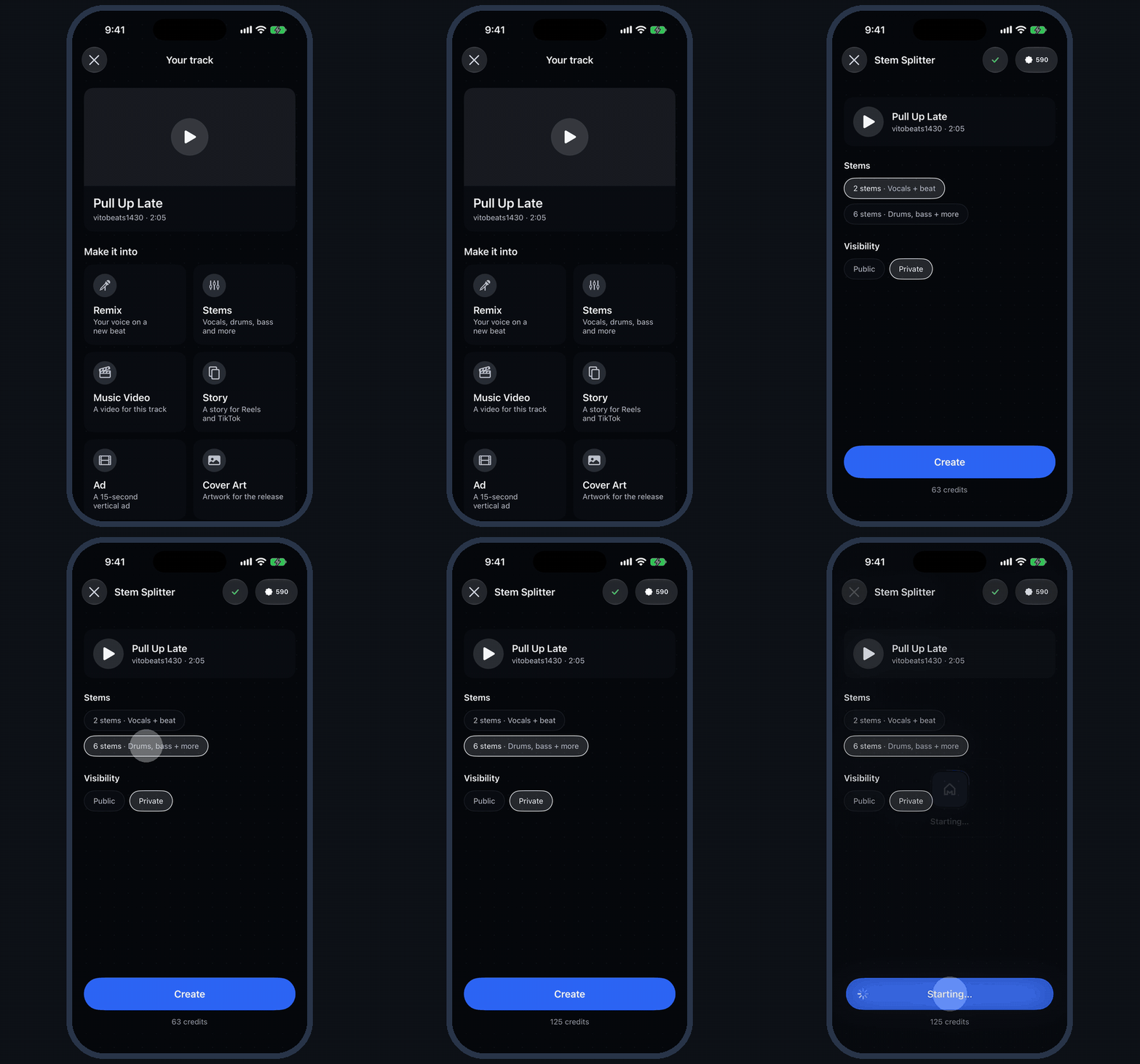
Story and Ad are on the same screen when you want a vertical clip for Reels, TikTok or an ad. Music House shows the price under Create before you pay, and your Rapchat song stays as it is.
Try it now
Your Rapchat vocals on a brand-new beat.