Guide · As of Oct 29, 2026 · 3 min read
Music House 1.7: bring your own track
Open a song from Rapchat or any app, remix it with your vocals, split the stems, and make a video, story or ad from it. Plus Music Creator and Siri.
Music House 1.7 is out on iPhone and iPad. Until now, every song started in Music House. With 1.7, you can start from a track you already have.
Open a track from anywhere
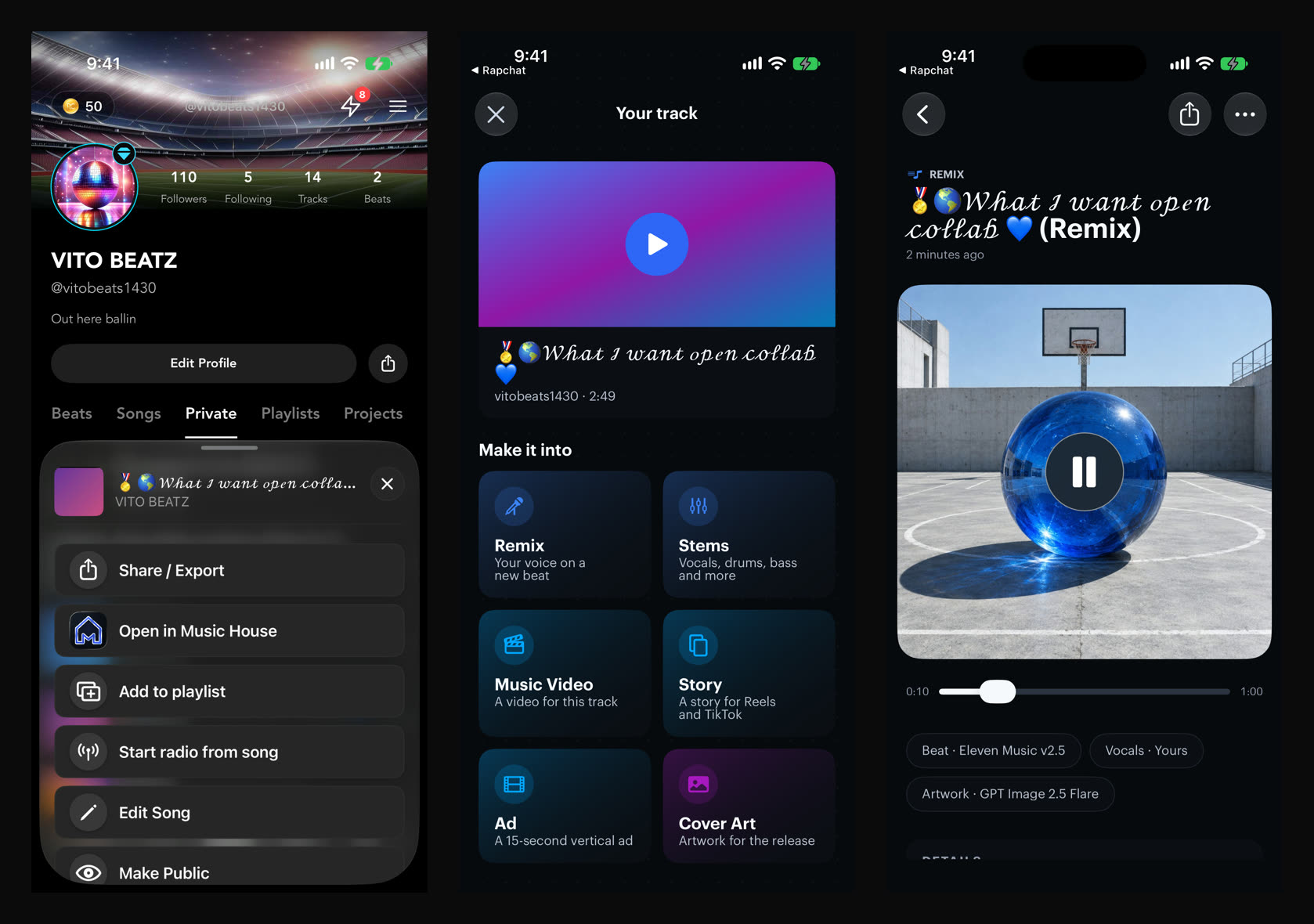
Share a song from Files, Voice Memos or another app to Music House, or paste a link. From Rapchat, open one of your tracks and tap Open in Music House. Music House shows Your track with its title, artist and sound, like "melodic trap · 116 BPM", and what you can make from it.
Remix with your vocals
Keep your verse and get a new beat built around it, matched to your tempo. Music House suggests three directions for your sound, or you describe your own. When the track comes from Rapchat with its vocals stored, Music House uses that clean vocal. Otherwise it separates the vocal for you. It only uses your own recording. It never clones a voice.
Stem Splitter
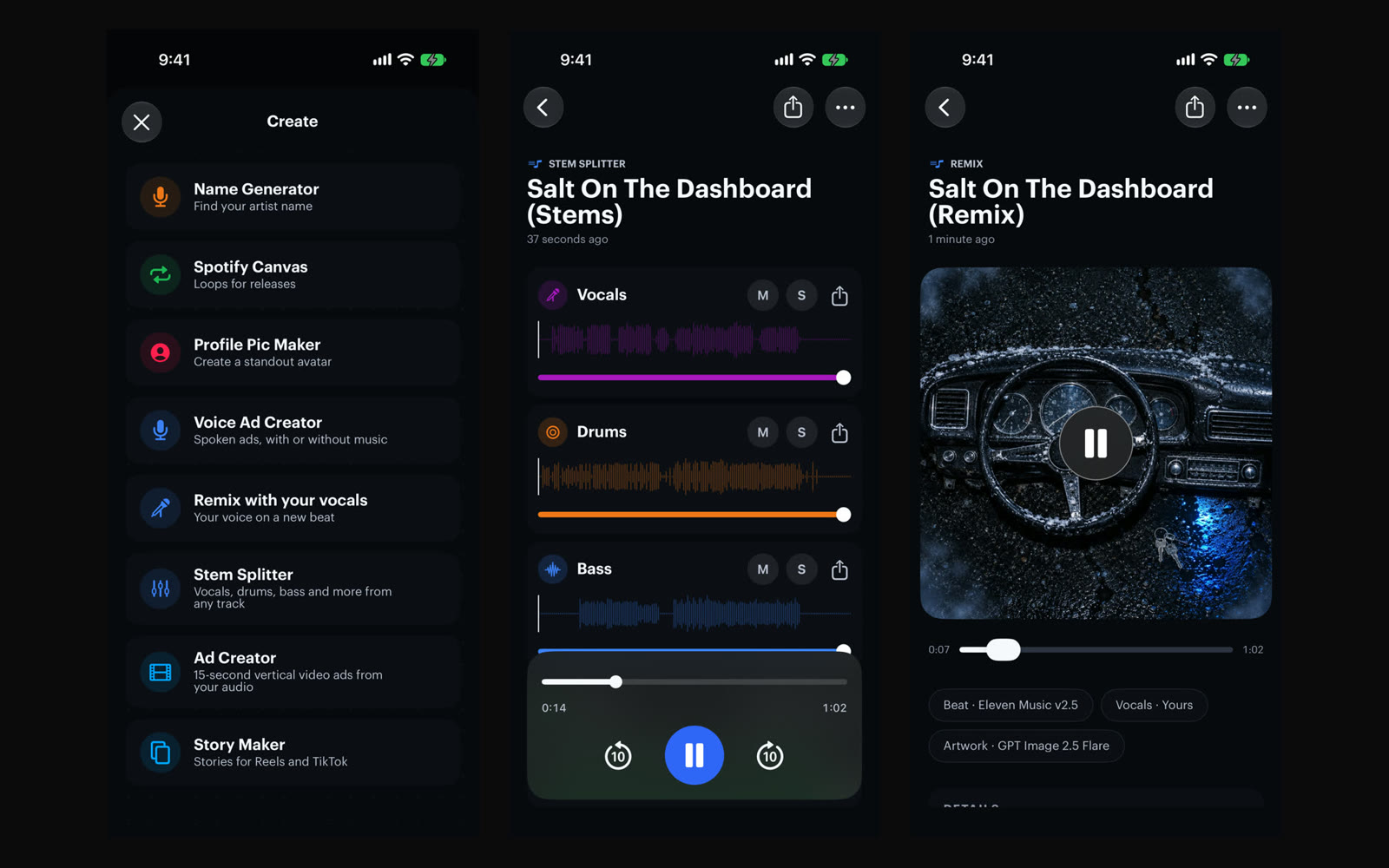
Split any song into two stems (vocals and instrumental) or six (vocals, drums, bass, guitar, piano and the rest). The stems play together in one mixer, with mute, solo and a volume for each.
Make something for the release
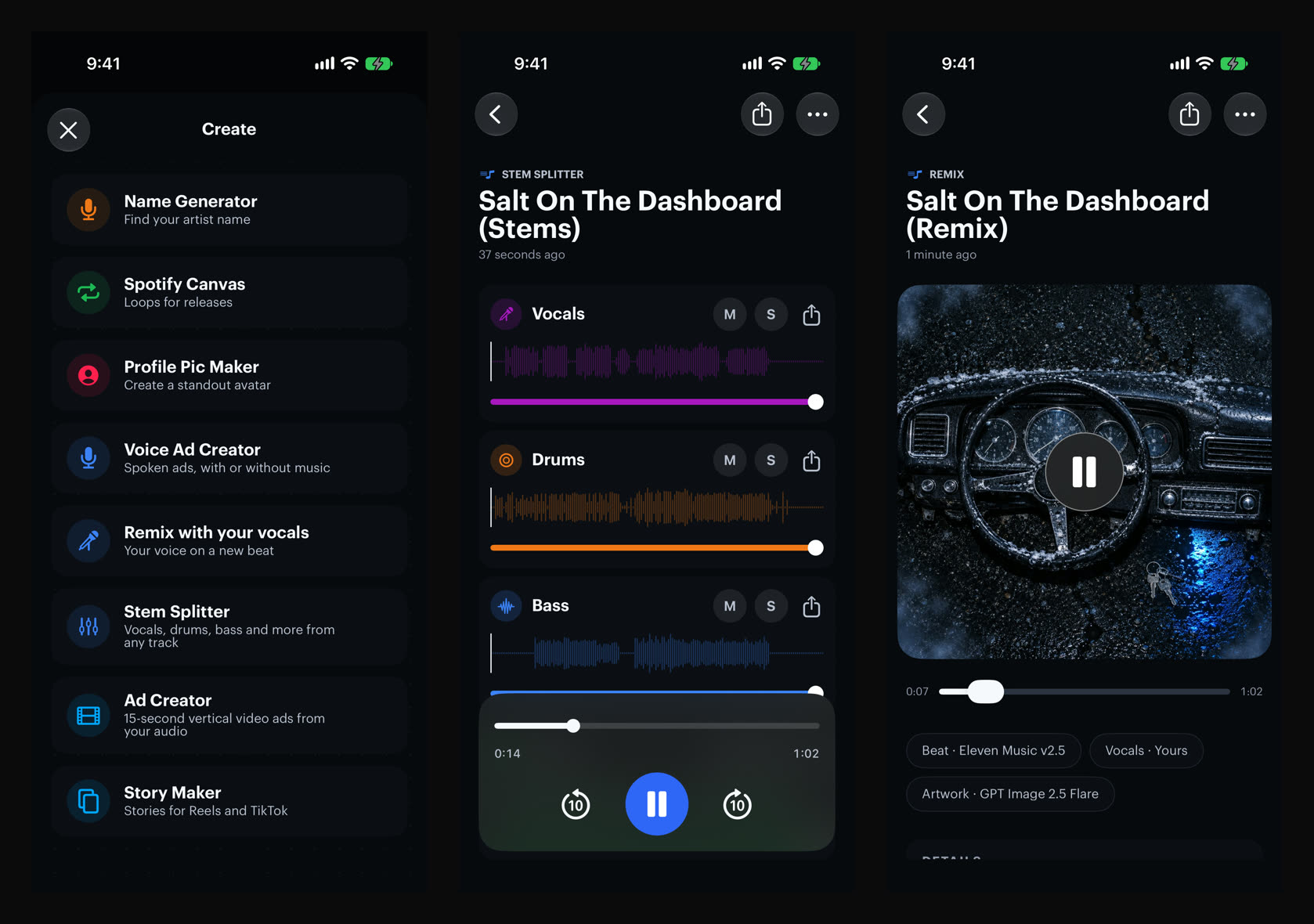
From your track, make a music video, a story clip, an ad or cover art. Music Creator puts songs, beats and voiceovers in one place, at the top of the Create menu. Voice Ad Creator turns a brief or your own script into a spoken ad, with or without music, and Ad Creator turns your release or business into a 15-second vertical ad.
Ask Siri
Music House works with Siri, Shortcuts and Spotlight. Say "Split stems in Music House", or find your songs from Spotlight.
Get Music House on the App Store. Every change is in the changelog.
Tell us what you make at [email protected].